
Role-based access control that gives
every user the right access
RBAC in e-trainia assigns permissions by role, so administrators, trainers, and learners each see only what they need. Manage user roles and permissions from one place and keep your training data secure.
Role-based
Access by responsibility

Permissions

 03
Decide who can view, edit, and publish with granular
permissions
Predefined user roles
Start with clear roles for administrators, trainers, and learners, so every person has access that matches their responsibility from day one.
Granular role-based permissions
Control who can view, create, edit, publish, or remove content across courses, schedules, assessments, and reports.
Reviewable access
Keep a clear picture of who holds which role, so access can be reviewed and adjusted as teams and programs change.
Batch & department scoping
Limit trainers and managers to their own batches, classrooms, and departments, so sensitive learner data stays with the right people.
Give every role exactly the access it needs to do its job
e-trainia role-based access control software maps permissions to responsibilities, so each person works with the tools they need and nothing they don't.
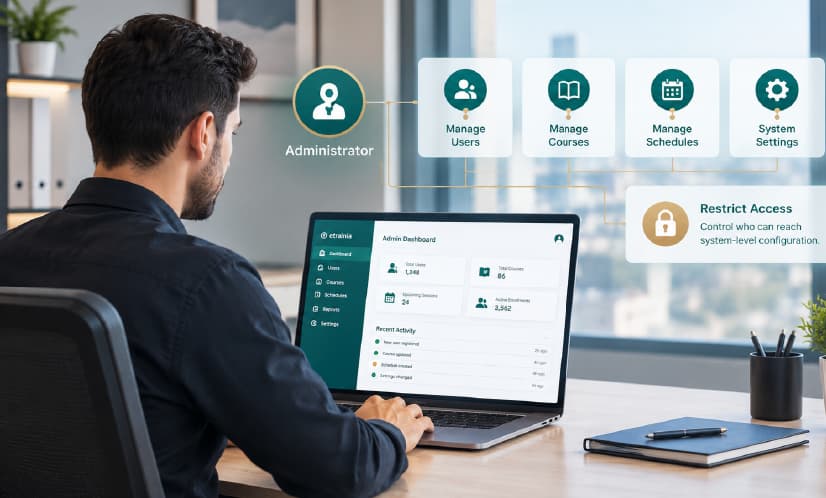
Administrator role
Give administrators full control of users, courses, schedules, and settings, and restrict who else can reach system-level configuration.
- user & role management
- platform settings
- reports & records

Trainer role
Let trainers manage their own sessions, learners, and assessments without access to other programs or administrative settings.
- assigned classes & batches
- attendance & assessments
- learner progress

Learner role
Give learners a focused view of their own courses, progress, and certificates, with no exposure to other users' data.
- personal course dashboard
- own progress & results
- own certificates
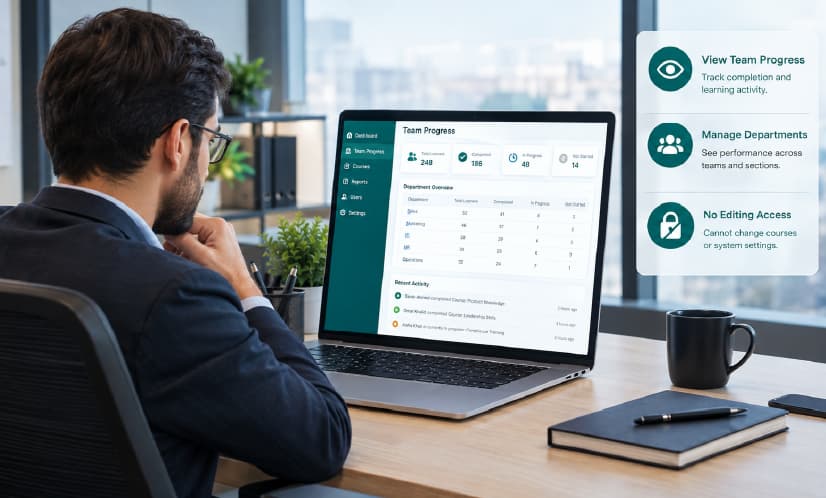
Manager role
Let managers and department heads review team progress and completion without the ability to change courses or settings.
- team completion reports
- department visibility
- read-only oversight
Access control that supports compliance.
What is RBAC? Role-based access control (RBAC) grants permissions to roles instead of individuals. In e-trainia, every user holds a role that defines what they can see and do, which keeps learner data protected and makes access easy to review.
User roles and permissions (assigned by responsibility)
Least-privilege access (users see only what they need)
Batch and department scoping (limit access by group)
Centralized user access management (add, change, and remove access in one place)

Role & permission matrix
01a clear view of who can do what
Centralized user management
02one place for every account
Audit-ready access
03organized for compliance reviews
Frequently asked questions
Put the right access in the right hands on
one platform
See how e-trainia role-based access control keeps your training data secure and your teams productive.